Docker Desktopの「Unable to calculate image disk size」を切り分ける
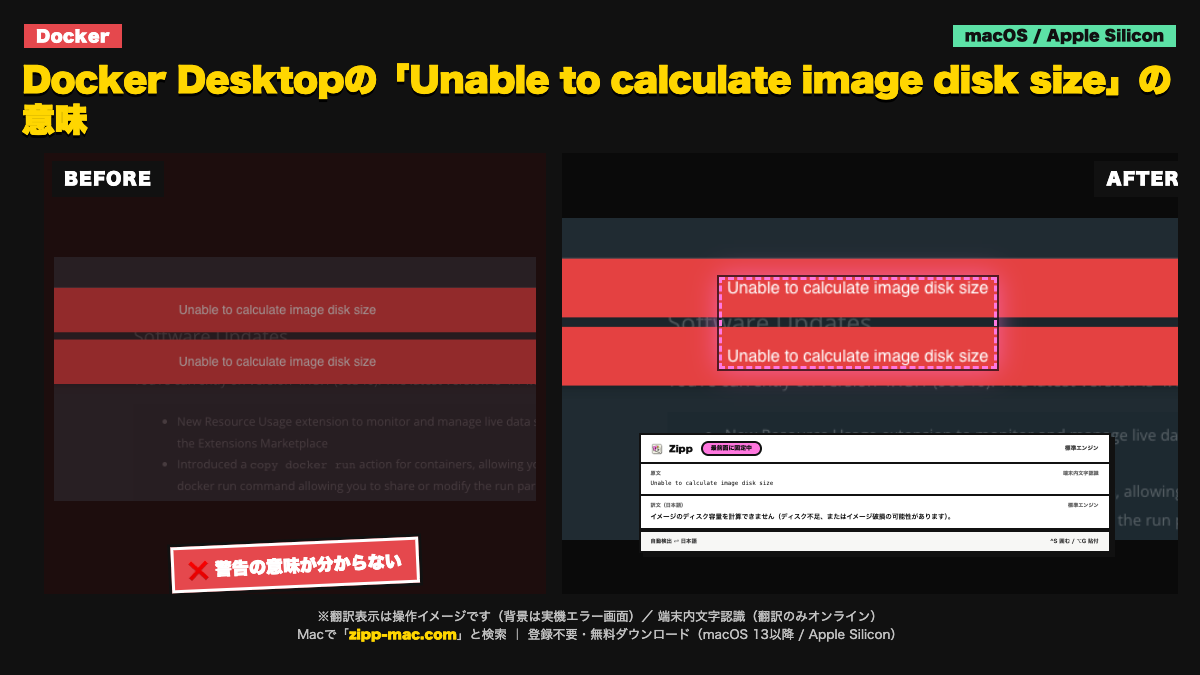
Docker Desktopの設定画面に「Unable to calculate image disk size」と出る場合、イメージ保存領域の状態を確認します。空き容量、ディスクイメージの場所、診断順を整理します。
画面に出る英語(原文)
Unable to calculate image disk size
症状:Docker Desktopの設定でイメージのディスク容量を確認できず、容量不足や保存領域の状態を判断できない。
切り分け手順(3ステップ)
- Finderまたは `df -h` で起動ディスクの空き容量を確認する。容量を確保するために、必要なプロジェクトやDockerデータを確認せずに削除しない。
- Docker Desktopの設定でディスクイメージの保存場所とリソース設定を確認し、外付けやネットワークのボリュームが切断されていないかを見る。
- Docker Desktopを再起動しても直らない場合は、診断情報を取得して公式サポート手順を確認する。データを初期化する操作は、必要なイメージとボリュームを退避してから検討する。
English troubleshooting guide
Symptom: Docker Desktop cannot report the size of its image disk from its settings screen.
- Check free space on the startup disk in Finder or with `df -h`. Do not delete project or Docker data before identifying what it is.
- Review Docker Desktop's disk-image location and resource settings, and confirm that any external or network volume involved is available.
- If a restart does not help, collect diagnostics and follow the official support guidance. Consider data-reset actions only after backing up required images and volumes.
このエラーが「選択できない」ときの読み方
文字認識は端末内(Apple Vision)。画面キャプチャの画像は外部に送信しません。翻訳はオンラインで、送るのは認識したテキストのみです。オフラインでは文字認識のみ動作し、翻訳は表示されません。
動作環境:macOS 13 以降 / Apple Silicon(arm64)専用(Intel Mac は非対応)。初回起動は「右クリック →「開く」」で実行(未公証のため。アプリの破損ではありません)
⬇ 無料でダウンロード(登録不要・.zip)ブラウザで体験する
初回起動 3 ステップ
- ZIP を解凍して
Zipp.appを Applications へ移動 - 右クリック →「開く」 を選択
- 確認画面でも「開く」を選択
SHA-256:66920f0b335fe7526184a6004df09bcb923e77bfc49f436ecfcc3b896dee84bb
macOS 13 以降 / Apple Silicon(arm64)専用 / 日本語固定 UI。Intel Mac は対象外です。