
Docker DesktopのVpnKitが起動できず「Fatal Error supervising tasks」が出る
Docker Desktopで「Fatal Error supervising tasks」とVpnKitの失敗が続く場合、バックエンドの起動状態を確認します。診断情報、再起動、データを消す操作の順に安全に切り分けます。
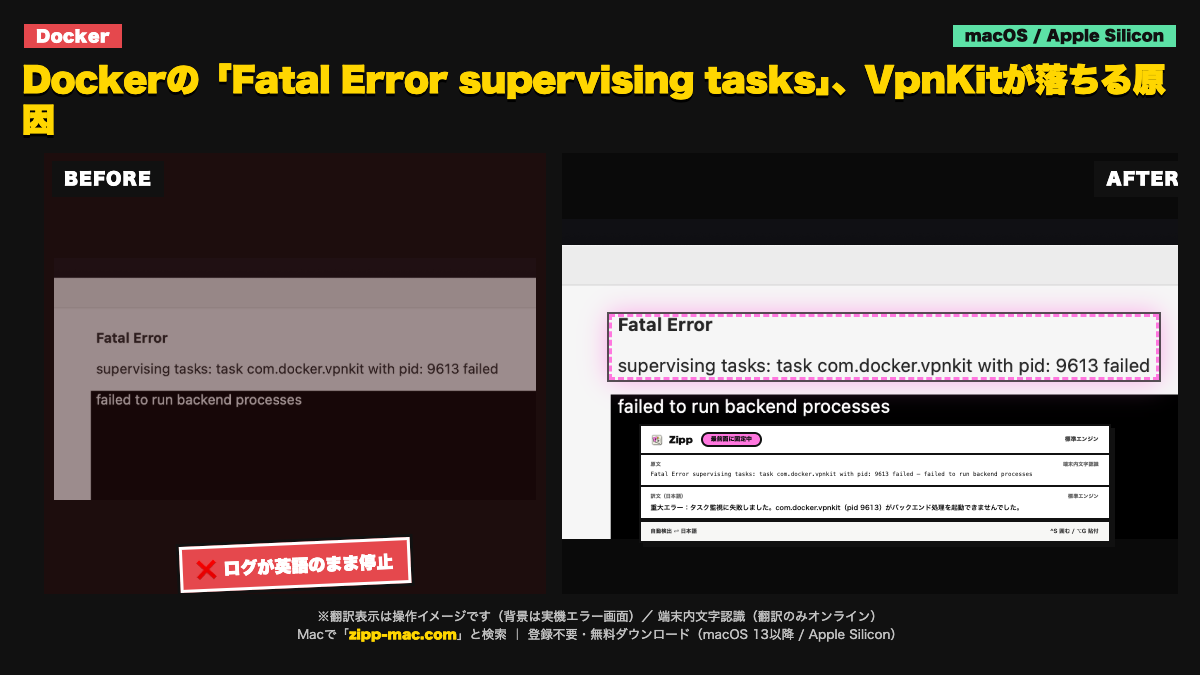
画面に出る英語(原文)
Fatal Error supervising tasks: task com.docker.vpnkit with pid: 9613 failed
failed to run backend processes
症状:Docker Desktopが起動完了せず、コンテナを実行する前にバックエンド処理の失敗を示す英語ログが出る。
切り分け手順(3ステップ)
- Docker DesktopのTroubleshoot画面で診断情報とログを確認し、同時に表示される別の失敗行(ネットワーク、権限、ディスク)を控える。VpnKitの1行だけで原因を断定しない。
- Docker Desktopを完全に終了してから起動し直し、改善しなければアプリ内のRestart機能を使う。macOSを再起動した直後にも再現するかを確認する。
- Reset系の操作はコンテナ、イメージ、ローカルボリュームを失うことがある。実行前に必要なデータを退避し、対象バージョンの公式Troubleshoot手順を確認する。
English troubleshooting guide
Symptom: Docker Desktop does not finish starting and reports a VpnKit/backend task failure.
- Open Docker Desktop's Troubleshoot view and collect diagnostics and nearby error lines. Do not diagnose the cause from the VpnKit line alone.
- Quit Docker Desktop completely and reopen it. If needed, use its in-app restart and check whether the failure persists after restarting macOS.
- Reset actions may remove containers, images, or local volumes. Back up needed data and consult the official troubleshooting steps for the installed version before resetting.
このエラーが「選択できない」ときの読み方
文字認識は端末内(Apple Vision)。画面キャプチャの画像は外部に送信しません。翻訳はオンラインで、送るのは認識したテキストのみです。オフラインでは文字認識のみ動作し、翻訳は表示されません。
動作環境:macOS 13 以降 / Apple Silicon(arm64)専用(Intel Mac は非対応)。初回起動は「右クリック →「開く」」で実行(未公証のため。アプリの破損ではありません)
⬇ 無料でダウンロード(登録不要・.zip)ブラウザで体験する
初回起動 3 ステップ
- ZIP を解凍して
Zipp.appを Applications へ移動 - 右クリック →「開く」 を選択
- 確認画面でも「開く」を選択
SHA-256:66920f0b335fe7526184a6004df09bcb923e77bfc49f436ecfcc3b896dee84bb
macOS 13 以降 / Apple Silicon(arm64)専用 / 日本語固定 UI。Intel Mac は対象外です。